
Pay a City of Montgomery Red Light Ticket on payMontgomery
Making a payment to the Municipal Court of the City of Montgomery is now easier than ever on payMontgomery! After logging in (see Create a Profile on payMontgomery) you can find, view and pay your red light ticketsby following the steps below:
- Select Red Light Camera Citations from the "Services" drop down menu and click Find your red light camera citation

- Search for your citation using your Notice Number

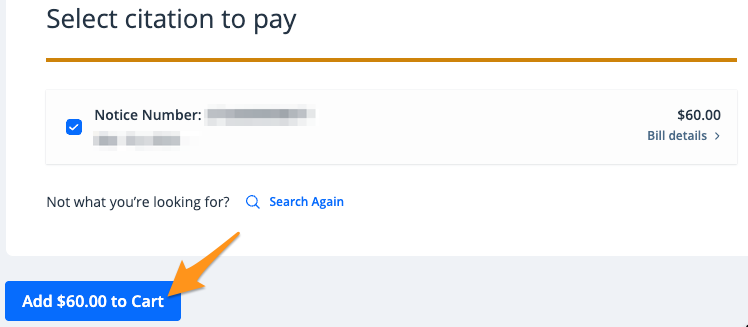
- The result(s) of your search will be displayed. Confirm this is the correct ticket and click Add $--.-- to Cart.
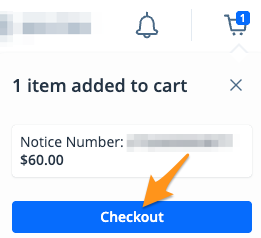
- On the cart notification, click Checkout
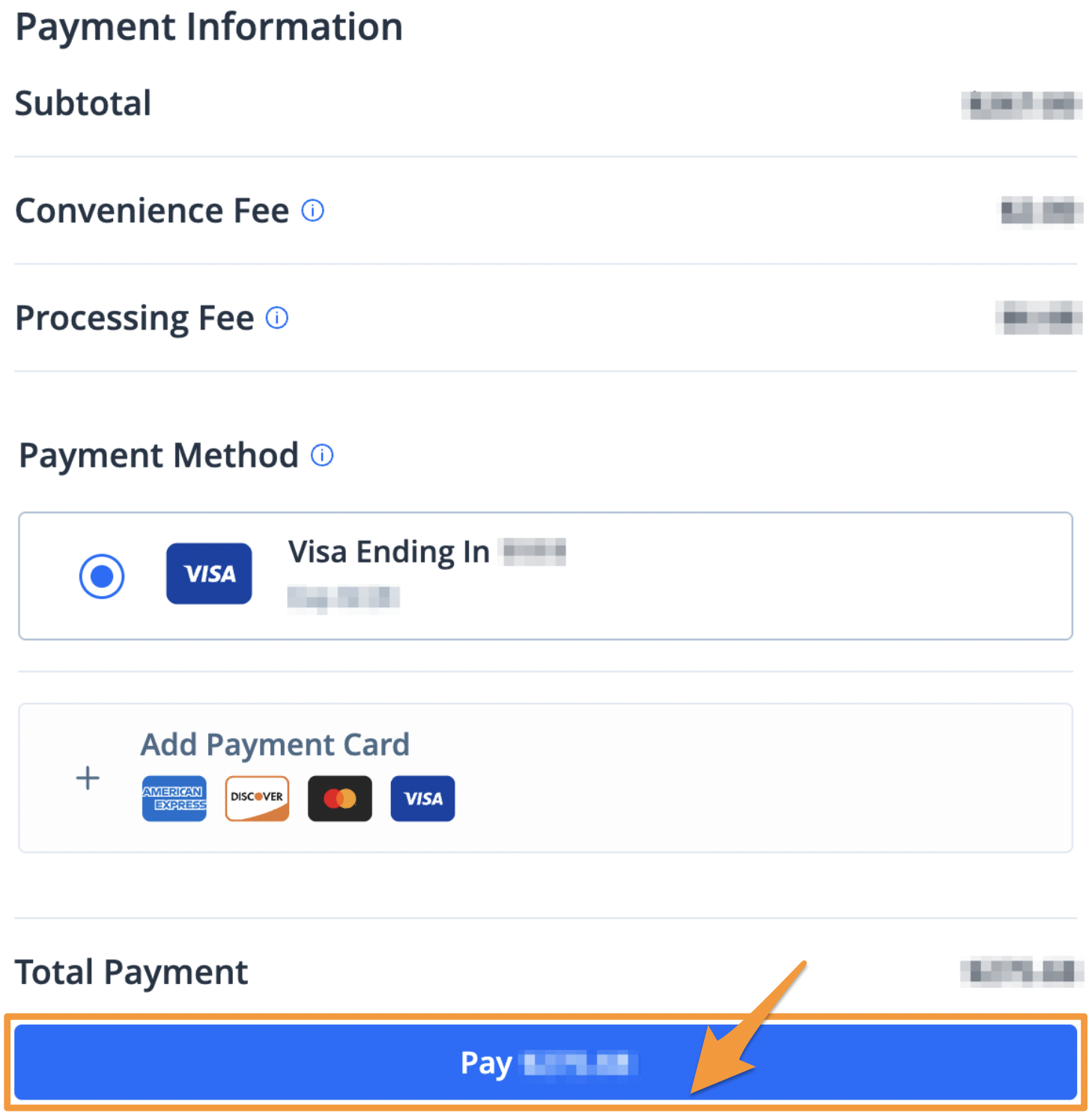
- Select a payment method and click the blue Pay $--.-- button to complete your payment
After completing your payment, you will receive an email confirmation. A receipt will also be stored in your profile (see Find a Receipt on payMontgomery).